Why use Windows Event Forwarding for centralized logging
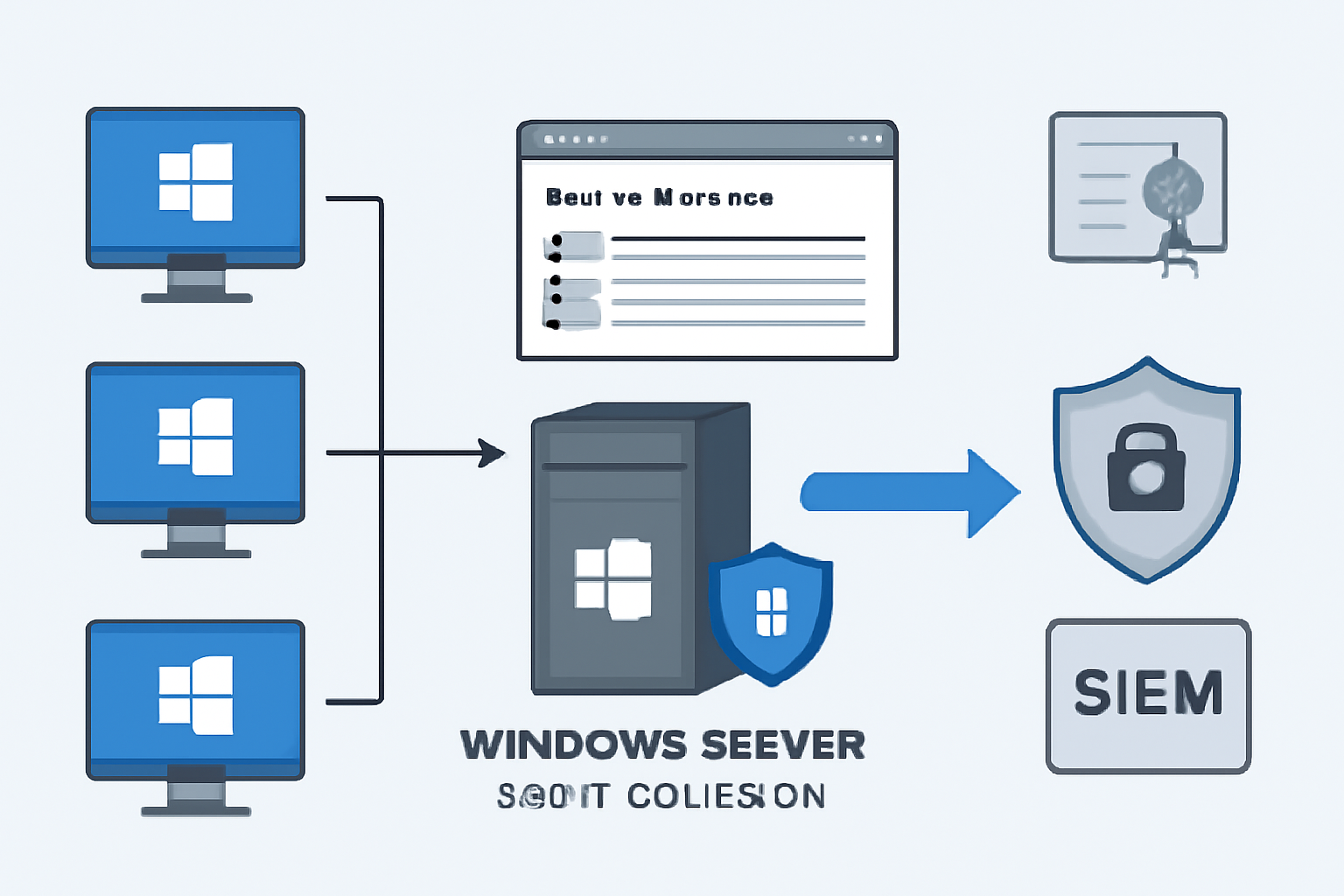
Windows Event Forwarding is a native Microsoft mechanism to centralize Windows event logs from many hosts to one or more collector servers. For administrators and security teams, WEF reduces the need to log in to each host to gather events, it lowers operational overhead, and it provides a reliable feed for detection, auditing, and compliance.
WEF integrates with Windows security and authentication, supports filtered subscriptions, and can forward logs either directly to a SIEM or to an intermediary collector. This guide focuses on deployment, authentication, subscription filters, performance, retention, and integration for production environments.
Architecture and key components
The main components are source computers, the collector server, subscriptions, and the Windows Remote Management service. Source clients push events to the collector using WinRM and the Windows Eventing infrastructure. The collector stores events locally before any long term shipping to external systems.
Subscriptions define what events to collect, from which hosts, and how delivery should occur, for example normal or minimized latency. You will also interact with Group Policy to configure the clients, and with certificates when using HTTPS or mutual authentication.
Deploying the WEF collector server
Choose a dedicated server or a highly available cluster for the collector role, preferably a Windows Server with Event Collector service enabled. Install the Windows Event Collector feature and enable the service to start automatically, then configure storage, disk sizing, and local retention policies to avoid running out of space.
Use these basic PowerShell steps to get started on the collector:
Install-WindowsFeature -Name Windows-Event-Collector
wecutil qc
wecutil ss /q
The first command installs the feature, the second configures the service, and the third lists subscriptions for verification.
Configure source clients and Group Policy
Clients need WinRM enabled, the correct firewall rules open, and the subscription client settings applied via Group Policy. Create a GPO that sets the Startup type for WinRM to automatic, opens port 5985 for HTTP or 5986 for HTTPS, and configures the Windows Remote Management service recovery options.
Essential GPO settings to apply include the Event Forwarding client configuration and subscription manager list. Use a comma separated list of URLs with the collector FQDN and protocol, for example http://collector.corp.local:5985/wsman/SubscriptionManager/WEC. Deploy the GPO to the OU that contains your source hosts, then verify with wecutil gr on a client.
Certificate authentication and secure channels
For production environments, prefer HTTPS with certificate authentication, or use Kerberos for domain joined hosts on a trusted network. When using HTTPS, issue certificates to the collector and to clients if mutual authentication is required. Ensure the collector’s certificate matches its FQDN and is trusted by clients.
To set up HTTPS, create a server cert on the collector, bind it to WinRM, and update the subscription manager URL in the GPO to use https and port 5986. Troubleshoot cert chain issues by confirming the issuing CA is in the Trusted Root store on all clients.
Create subscription filters and event selection
Subscriptions can be per-source, per-eventlog, or based on XPath queries for granular filtering. Use the Event Viewer subscription wizard for basic filters, or create custom XML queries to collect only high value events, for example audit logons, process creation, or security clearance events.
Example XML filter for failed logons:
<QueryList>
  <Query Id="0" Path="Security">
    <Select Path="Security">*[System[(EventID=4625)]]</Select>
  </Query>
</QueryList>
Use XPath to keep volume manageable, then forward only events needed by your SOC or compliance team.
Optimize performance and retention
Plan storage, delivery optimization, and event retention based on event volume. Configure the collector with circular logs or larger AVAIL space for the forwarder store, and set sensible retention for forwarded events before they are shipped to a SIEM. Monitor disk I/O and log sizes during pilot rollout.
Performance tuning checklist:
- Limit collected events via subscription filters to reduce volume
- Enable batching and increased heartbeat intervals to reduce network overhead
- Provision separate disks for the forwarder store and system operations
Integrate WEF with SIEMs and log pipelines
Collectors can forward events to SIEMs using an agent, syslog bridge, or direct ingestion if supported. Many SIEM vendors provide collectors or connectors that read the Windows Event Collector store and ship to the cloud or appliance. Choose the integration method that preserves event timestamps and original EventRecordIDs.
When integrating, ensure the mapping of event fields is preserved, and test end to end for critical use cases like incident detection. Use a staging pipeline to validate parsing rules, and configure deduplication and buffering at the SIEM to handle bursts.
Troubleshooting common issues
Common WEF problems include authentication failures, WinRM firewall blocks, certificate trust errors, and subscription delivery failures. Use wecutil ss on the collector to view subscription status, and wecutil gr on clients to review applied subscription managers. Check Event Viewer on both sides for error codes in the Operational logs.
Quick checks:
- Verify DNS resolution and port connectivity to the collector with
Test-NetConnection - Confirm the correct certificate is bound to WinRM when using HTTPS
- Ensure the collector has enough disk space and that the ForwardedEvents log is not set to auto delete too quickly
FAQ
Below are concise answers to common operational questions administrators ask when deploying WEF.
Use these as quick references during planning and troubleshooting, and extend them into runbooks for your team.
- Q: Can WEF handle thousands of clients? A: Yes, with proper sizing, batching, and multiple collectors. Use load balancing or multiple subscriptions to distribute load.
- Q: Is HTTPS required? A: Not strictly for domain networks, Kerberos can be used, but HTTPS with certificates is recommended for security over untrusted networks.
- Q: How do I reduce event volume? A: Narrow XPath filters, only collect specific EventIDs, and exclude noisy sources in the subscription configuration.
- Q: Can I forward to both a collector and directly to a SIEM? A: Yes, you can use a collector as an intermediary and then ship to a SIEM, or deploy collectors on SIEM agents to pull events directly.
Conclusion
Windows Event Forwarding is a practical, lightweight method to centralize Windows logs without third party agents, offering controls for security teams and administrators to collect targeted events. A successful deployment hinges on proper collector sizing, careful subscription filters that limit noise, and secure communications either via Kerberos in trusted AD environments or using HTTPS and certificates when crossing trust boundaries.
Start with a pilot that includes several hundred sources, validate end to end delivery and SIEM parsing, then scale with additional collectors as needed. Document GPO settings, certificate requirements, and common troubleshooting steps for the operations team, and automate monitoring of collector health. When integrated correctly into your logging pipeline, WEF provides reliable, auditable collection that supports incident detection, forensics, and compliance without excessive overhead.